SCIENTIFIC FOUNDATIONS

Every measurement
has a story.

A measurement is more than a number. It has units, uncertainties, coordinates, and a history. Pelagic keeps them connected, from the first pulse to the final result.

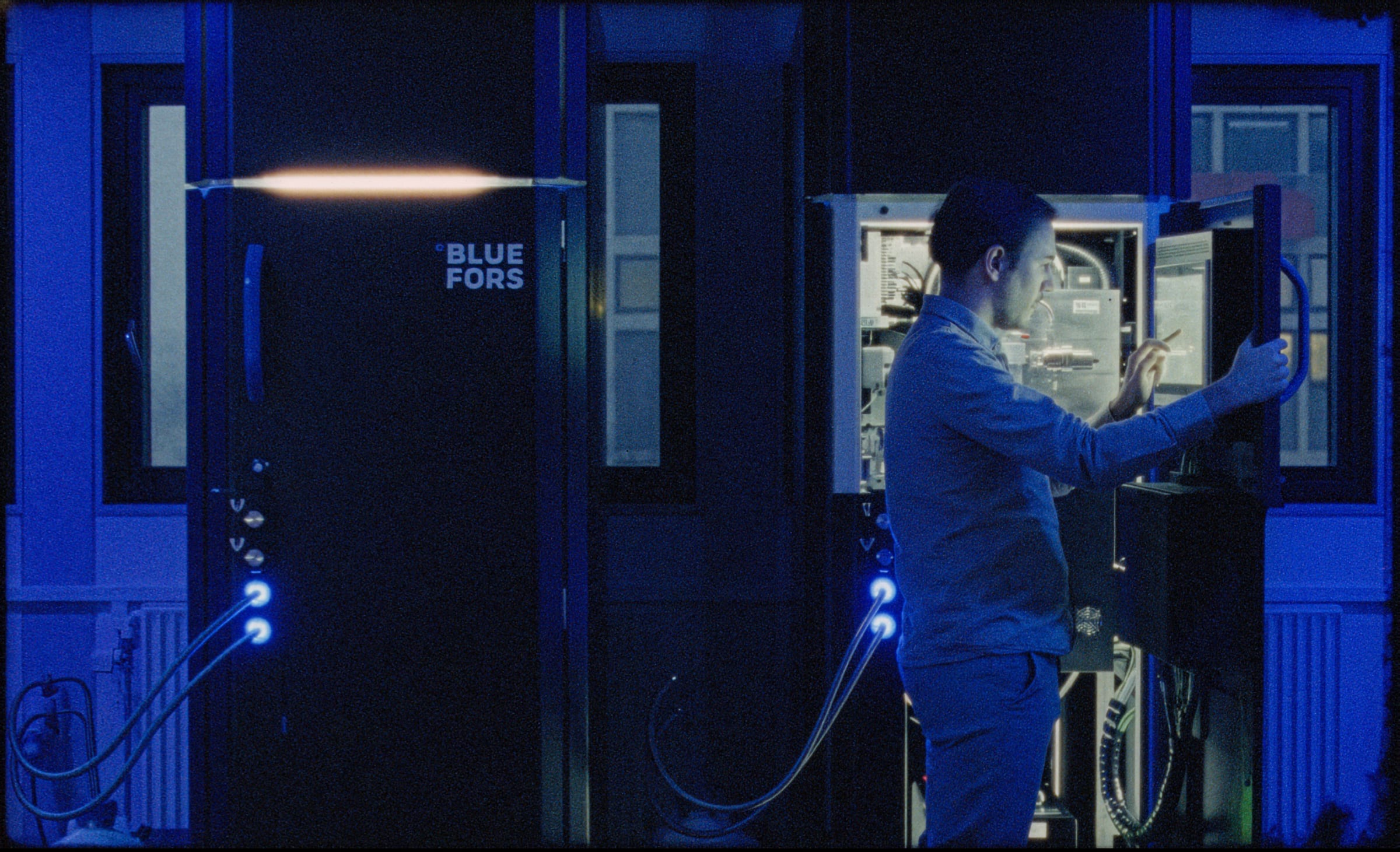
A researcher working with a quantum experiment in the laboratory.

01 / SCIENTIFIC QUANTITIES

A number is never
just a number.

Pelagic treats physical units and uncertainties as part of the calculation, not annotations added afterward. Physical meaning stays with the data, through every step of the analysis.

01 / UNITS

Units follow the calculation.

Multiply or divide quantities inside an xarray Dataset. Their units follow the operation, and to_compact_units presents the result at a useful scale.

Voltage
200 mV200\,\mathrm{mV}
Current
400 μA400\,\mu\mathrm{A}
Multiply · power
V×I=80 μWV\times I=80\,\mu\mathrm{W}
Voltage × current
Divide · resistance
V/I=500 ΩV/I=500\,\Omega
Voltage ÷ current

u.to_compact_units(ds)Readable scales. Physical meaning intact.

Units in an xarray Dataset
PYTHON
ds["power"] = ds.voltage * ds.current
ds["resistance"] = ds.voltage / ds.current
ds = u.to_compact_units(ds)

Illustrative electrical quantities. Units are attached to the input variables in the Dataset.

02 / ERROR PROPAGATION

Uncertainty follows the transformation.

Convert a complex IQ signal to its magnitude and carry its uncertainty with it. Here, independent uncertainties in I and Q project onto the radial direction.

z=I+iQ⟶∣z∣=I2+Q2z=I+iQ\quad\longrightarrow\quad |z|=\sqrt{I^2+Q^2}
Illustrative independent I/Q uncertainty cloud, its one-sigma contour, and a vector from the origin to its center.
z = I + iQabs(z)
Magnitude 0.40 plus or minus 0.02 mV; independent I/Q, first-order propagated one-sigma uncertainty.
Magnitude · propagated uncertainty
∣z∣=(0.40±0.02) mV|z|=(0.40\pm0.02)\,\mathrm{mV}

Illustrative independent I/Q estimates. The ellipse shows joint 1σ uncertainty; the magnitude error follows from first-order propagation.

How the uncertainty is propagated
σ∣z∣2=I2σI2+Q2σQ2I2+Q2\sigma_{|z|}^2=\frac{I^2\sigma_I^2+Q^2\sigma_Q^2}{I^2+Q^2}

This example uses independent I and Q uncertainties and a first-order approximation. The points visualize the joint uncertainty of the complex estimate.

02 / SCIENTIFIC DATASETS

Your data should know
what it represents.

xarray Datasets are the native measurement format in Pelagic. AxisTracker records the sweep coordinates while StreamManager collects the measurements, so the data arrives with its structure already in place.

Change the sweep. Keep the coordinates.

Add or nest a sweep without maintaining a separate map of its axes. AxisTracker follows the loops in scope, with the names, coordinates, and units you supply.

AxisTracker

Names, coordinates, and supplied units follow the sweep loops.

averages500 repetitions
drive_amplitude13 values · V
time161 values · µs

Separate streams. One labelled Dataset.

Collect measurements from several qubits without assembling their arrays by hand. StreamManager applies your configured averaging, fetches the streams, and brings them together.

StreamManager

Measurement streams share those axes. Choose the readout and averaging, then fetch one Dataset.

  • q1I readoutaverage over averages
  • q2I readoutaverage over averages
  • q3I readoutaverage over averages
  • q4I readoutaverage over averages
  • q5I readoutaverage over averages

One xarray Dataset

Native output
<xarray.Dataset>
Dimensions: (averages: 500, drive_amplitude: 13, time: 161)
Coordinates:
  averages          (averages) 0 … 499
  drive_amplitude   (drive_amplitude) 0.10 … 0.30  [V]
  time              (time) 0.004 … 5.124  [µs]
Data variables:
  q1                (drive_amplitude, time) float64  [mV]
  q2                (drive_amplitude, time) float64  [mV]
  q3                (drive_amplitude, time) float64  [mV]
  q4                (drive_amplitude, time) float64  [mV]
  q5                (drive_amplitude, time) float64  [mV]
Variable attributes: mean_axis="averages"; n_samples=500

The averaging coordinate remains in the Dataset; each measurement variable has the two sweep dimensions.

trace = ds["q1"].sel(drive_amplitude=0.20, drop=True)Fit this trace

Illustrative acquisition layout for averaged I readout. q1–q5 are separate variables sharing drive_amplitude and time. Units and averaging are configured by the experiment author.

See the acquisition code
Named sweeps and measurement streams
PYTHON
from qm import qua
import xarray as xr
from opx_control.fetching.streams import StreamManager

stm = StreamManager()
axt = stm.axis_tracker
# time_ticks: controller durations; time_us: their coordinates in µs.
time_coords = xr.Coordinates({
    "time": xr.DataArray(time_us, dims="time", attrs={"units": "us"})
})

with qua.program() as prog:
    n, t = qua.declare(int), qua.declare(int)
    a = qua.declare(qua.fixed)
    for qubit in qubits:
        stm.add_iq_stream(
            name=qubit.name, unit="mV", return_types="I",
            mean_axis="averages",
        )

    with axt.add_axis(qua.for_(n, 0, n < n_averages, n + 1), name="averages"):
        with axt.add_axis(qua.for_each_(a, amplitudes), name="drive_amplitude", unit="V"):
            with axt.add_axis(qua.for_each_(t, time_ticks), name="time", coords=time_coords):
                for qubit in qubits:
                    # Experiment-specific reset, drive, and readout.
                    # This example supplies calibrated I/Q in volts.
                    I, Q = qubit.measure("readout")
                    stm[qubit.name].save(1000 * I, 1000 * Q)

    with qua.stream_processing():
        stm.process()

# After submitting the program to your controller:
ds = stm.fetch_dataset(job)

QUA acquisition excerpt. Pulse preparation, drive, calibrated readout, qubits, sweep values, and controller submission belong to your experiment. time_us = time_ticks × 0.004. Numerical data below are simulated; no hardware was run.

Add a frequency sweep. Get another dimension.

Start with an amplitude sweep at one drive frequency. Add a tracked frequency loop and update the drive inside it. The same measurement now carries both coordinates.

1DOne amplitude sweep

Separate simulated Rabi amplitude sweep at zero drive-frequency detuning, selected directly from the adjoining 2D scan. Error bars show the supplied simulated mean uncertainty.
Amplitude coordinate · fixed drive frequency

2DAmplitude × frequency

Separate simulated Rabi amplitude and drive-frequency-detuning scan. The outlined zero-detuning column exactly matches the 1D amplitude observations.
Amplitude and frequency coordinates · outlined slice at zero detuning
1D · amplitude sweep
PYTHON
with axt.add_axis(qua.for_each_(a, amplitudes), name="amplitude"):


    qubit.reset(reset_method)


    qubit.xy.play("x180", amplitude_scale=a)
    qubit.align()
    I, Q = qubit.measure("readout")
    stm[qubit.name].save(I, Q)
2D · add frequency
PYTHONAdded lines
with axt.add_axis(qua.for_each_(a, amplitudes), name="amplitude"):
    with axt.add_axis(
        qua.for_each_(df, detunings), name="freq", unit="Hz"
    ):
        qubit.reset(reset_method)
        qua.update_frequency(
            qubit.xy.name, df + qubit.xy.intermediate_frequency
        )
        qubit.xy.play("x180", amplitude_scale=a)
        qubit.align()
        I, Q = qubit.measure("readout")
        stm[qubit.name].save(I, Q)

Blue lines add the frequency axis and update the drive. Blank lines on the left keep the shared measurement steps aligned.

Separate simulated Rabi example. The outlined zero-detuning column contains exactly the observations shown on the left; amplitude is a dimensionless pulse scale. This example is independent of the amplitude/time data fitted below.

QUA loop excerpts adapted from RabiAmplitudeChevron. Both share the same manager, stream setup, averaging loop, and measurement body. Variables, pulses, readout, and controller submission belong to your experiment.

03 / SCIENTIFIC MODELS

Fit the physics.
Not the framework.

Start with one oscillation. Add the background your measurement needs. Then apply the same model across a sweep, keeping named coordinates, physical units, and fitted uncertainties.

Simulated measurements · Pelagic fits · q1 at 0.20 V

01

Fit one oscillation.

Pass a named xarray trace directly to the model. Its coordinate supplies the time unit; the fitted frequency carries the corresponding inverse unit. The uncertainty supplied with the measurements weights the fit.

Single oscillation fit to the selected simulated q1 trace; time in microseconds, I readout in millivolts. Error bars show one standard error of the shot mean.
The selected q1 trace, fitted with one oscillation. The remaining background motivates the next step.
Fit one oscillation.
PYTHON
from data_analyzer.models.basic import Oscillation

trace = ds["q1"].sel(drive_amplitude=0.20, drop=True)
model = Oscillation()
model.fit(data=trace)
results = model.xarray_results()

The simulated trace has a known standard error in attrs['std']. Fit uncertainties come from the optimizer; no fitting runs in the browser.

FITTED FREQUENCY · OSCILLATION
f=(2.4011±0.0006) MHzf=(2.4011\pm0.0006)\,\mathrm{MHz}
Approximate 1σ · χ²/ndof = 4.95
02

Combine models and their guesses.

A linear background and an oscillation each bring their own initial-guess routine. The composite estimates the background first, then the oscillation in the remaining signal. Both become one fit to the same measurements.

OscillationIts own guess
Linear backgroundIts own guess
Combined modelOne fit · distinct parameters
Combined oscillation and background fit to the selected simulated q1 trace; time in microseconds, I readout in millivolts. Error bars show one standard error of the shot mean.
The same observations and errors. The dashed curve is the initial composite guess; the solid curve is the optimized model.
Combine models and their guesses.
PYTHON
from data_analyzer.models.basic import Linear, Oscillation

background = Linear(prefix="bg_")
oscillation = Oscillation(_prefix="osc_")
model = background + oscillation
# The background already supplies the constant term.
model.set_parameter_hint("osc_offset", value=0, fixed=True)

guess = model.guess(data=trace)
# A free starting phase for this simulated drive.
guess["osc_phase"] = 0.5
model.fit(data=trace, **guess)
results = model.xarray_results()

Distinct prefixes keep parameter names separate. The fixed offset removes a duplicate free parameter. Component guess routines remain part of the combined model. The example supplies a free phase starting value.

FITTED FREQUENCY · COMBINED MODEL
f=(2.4005±0.0006) MHzf=(2.4005\pm0.0006)\,\mathrm{MHz}
Approximate 1σ · χ²/ndof = 0.97
03

Fit across a named dimension.

Reuse the combined model for every drive amplitude. Each row gets an independent fit over time, and the results retain the drive_amplitude coordinate. You can then examine how the fitted frequency changes through the sweep.

The same model,
for every amplitude.

Independent fits over time.
Labelled results along the sweep.

13 amplitudes · 161 time points
  1. 0.10 V1.2002 ± 0.0006 MHz
  2. 0.15 V1.7999 ± 0.0006 MHz
  3. 0.20 V2.4005 ± 0.0006 MHz
  4. 0.25 V2.9998 ± 0.0006 MHz
  5. 0.30 V3.5994 ± 0.0006 MHz
Fit across a named dimension.
PYTHON
results = model.fit_along_dimensions(
    data=ds["q1"],
    dims="drive_amplitude",
    osc_phase=0.5,
)
frequency = results["osc_frequency"]

dims selects the independent fits: one per drive amplitude. Each fit uses the time coordinate. Parameter uncertainties are stored in each result variable’s attrs['error'].

The measurementSimulated shot means

Measured q1 amplitude and time scan; shared readout scale 0.17 to 0.93 millivolts. The outlined row is the selected trace.

The fitted modelIndependent Pelagic fits

Fitted q1 amplitude and time scan; shared readout scale 0.17 to 0.93 millivolts. The outlined row is the selected trace.

Shared I-readout scale · outlined row: selected trace

Simulated measurements and actual Pelagic fits on the same color scale. Every fitted row is evaluated from its saved parameters.

Known independent Gaussian shot noise; error bars and fit weights use sigma_shot / sqrt(500), the standard error of the shot mean. These weights are supplied to the fit, not calculated automatically by StreamManager.

04 / SAVING THE EXPERIMENT

What gets saved
with your experiment.

The measurement belongs with its analysis and the settings used to acquire it. Saving is enabled by default in the Experiment Framework, keeping these parts of the experiment together.

ONE EXPERIMENTOscillationSweep / example run
  • 01

    Acquired data

    raw_data.zarr

    The xarray Dataset returned by acquisition, with the averaging you configured.

  • 02

    Analysis output

    analyzed_data.zarr

    The Dataset returned by the experiment’s analysis.

  • 03

    Registered results

    results_*

    Results explicitly registered by the experiment. Fitted models export their parameter values, uncertainties, and fit statistics.

  • 04

    Device settings

    state/

    A snapshot of the machine state, including temporary settings used for the experiment.

  • 05

    Executed program

    program.py

    The generated QUA program together with the controller configuration.

  • 06

    Figures and context

    figure.* + metadata

    The final figure when produced, plus the experiment metadata supplied by your storage configuration.

Illustrative folder layout · outputs depend on the experiment and storage configuration.

Saving can be disabled. Single shots are retained only when requested; acquired data may already be averaged. Registered results and figure exports depend on what the experiment produces.

Pelagic supports multiple scientific data formats and configurable synchronization with qDrive for database-backed storage.

THE PEOPLE BEHIND THE SOFTWARE

We work in
the lab, too.

We’re experimental physicists, too. We know the work of keeping measurements, fits, device settings, and programs together, especially when an experiment changes from one day to the next. Pelagic makes that record part of running the experiment, so keeping track doesn’t depend on remembering one more step.